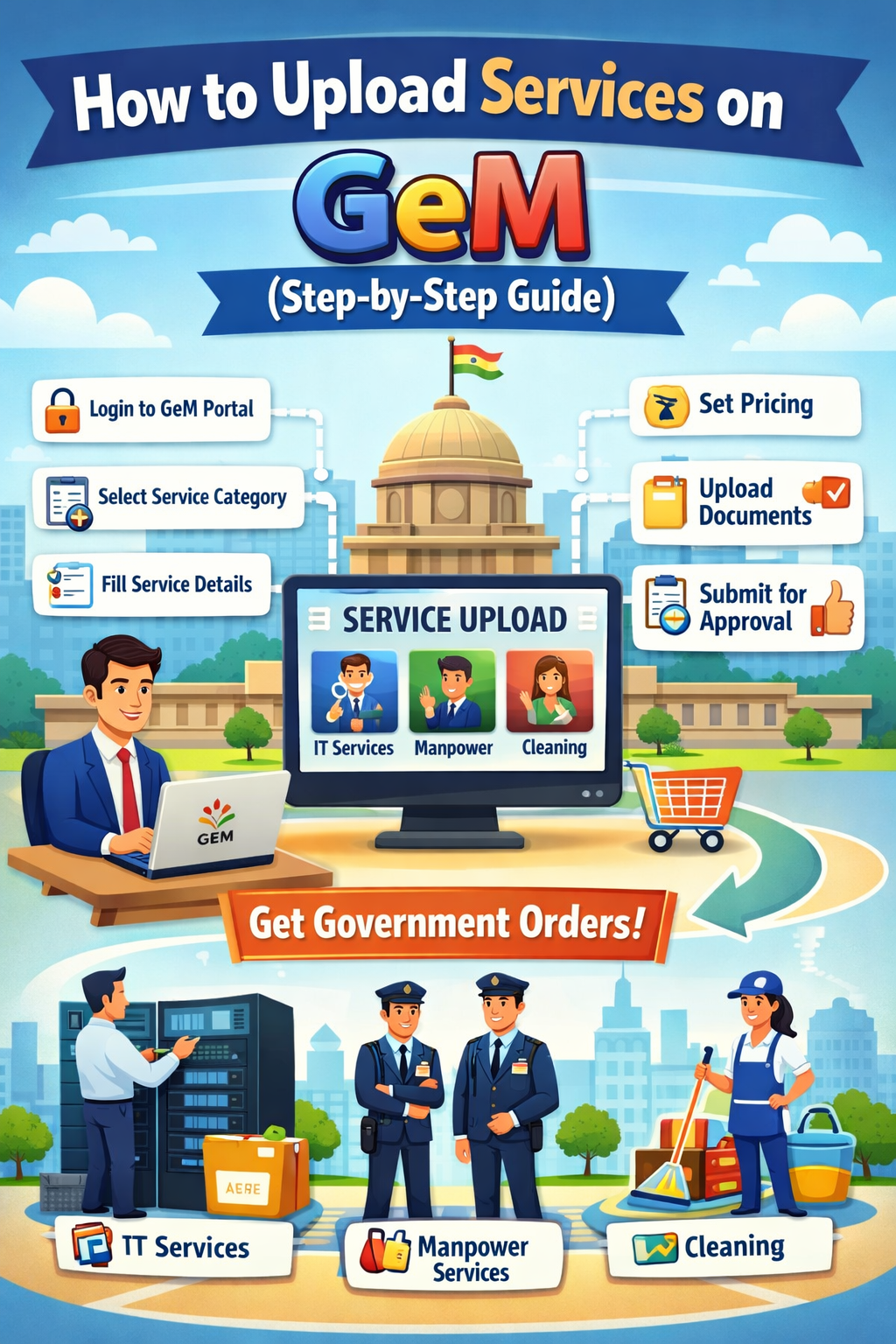
Uploading your services on the Government e-Marketplace (GeM) is one of the most important steps for businesses who want to sell services to government buyers. Many new sellers get confused because the process looks technical, but in reality, it becomes very easy once you understand each step clearly.
In this blog, we will explain how to upload services on GeM, what you need before uploading, common mistakes sellers make, and tips to optimize your service listing for more orders.
1. Introduction: Why Uploading Services on GeM Is Important
GeM offers a special section called Service Catalogue, where sellers can list service-based offerings like manpower services, IT services, cleaning services, security services, consultancy, training, etc.
Once your service is uploaded and approved:
-
Government buyers can see your service
-
Buyers can compare your pricing
-
You can receive direct orders or service bids
-
Your business can grow without middlemen
So, uploading services correctly helps you increase visibility and get more government business.
2. Documents and Details Required Before Uploading Services
Before starting, make sure you have the following:
2.1 Basic Business Details
-
Business name & type
-
Contact information
-
Address
-
GST details
-
PAN number
2.2 Mandatory Registrations
-
GeM Seller Account
-
Active Service Provider Registration
-
Bank account details
2.3 Service Details
-
Service category (select the right one)
-
Service description
-
Service specifications
-
Experience details (optional but helpful)
-
Rate per unit (hour/day/month/project)
2.4 Additional Documents (If Required)
-
Certifications
-
Past work orders
-
Employee availability proof
-
License (for manpower or security services)
3. Step-by-Step Process: How to Upload Services on GeM
Step 1: Login to Your GeM Seller Account
Visit the GeM portal and log in using your
✔ User ID
✔ Password
✔ OTP
After login, you will reach the Seller Dashboard.
Step 2: Go to “Catalogue” Section
On the left menu, click on:
Catalogue → Add New Service
Here you will see a list of service categories available on GeM.
Step 3: Select the Correct Service Category
This is a very important step because once the category is selected, it cannot be changed.
Popular categories include:
-
Manpower Outsourcing Services
-
Cleaning & Sanitation Services
-
Security Services
-
IT Professional Services
-
Consultancy Services
-
Training Services
-
Facility Management Services
Choose the category that matches your service exactly.
Step 4: Fill Service Specifications (Technical Details)
Each service comes with predefined technical parameters created by GeM.
You must fill:
-
Type of service
-
Number of resources
-
Skill level
-
Working hours
-
Experience required
-
Support details
-
Project duration
Make sure all details are accurate because buyers use these parameters to compare sellers.
Step 5: Enter Pricing Information
Enter your service price according to the service requirement.
GeM may ask for:
-
Monthly rate
-
Per hour rate
-
Fixed project fee
-
Service charges
-
Additional cost (If allowed)
🔸 Tip: Check your competition’s prices before finalizing your rate.
Step 6: Upload Documents (If Required)
Some services need document uploads such as:
-
Experience certificate
-
Company registration documents
-
Employee qualifications
-
License (especially for security or manpower service)
Upload clear and valid documents only.
Step 7: Review and Final Submission
Before submitting:
-
Recheck service specifications
-
Recheck pricing
-
Ensure no spelling mistakes
-
Confirm category selection
Once everything is correct, click:
➡ Submit for Approval
GeM may take 24–72 hours to approve your service.
4. Common Mistakes Sellers Should Avoid
Many sellers face rejection because of small errors. Avoid these mistakes:
4.1 Choosing Wrong Service Category
This is the biggest reason for rejection. Always check category description before selecting.
4.2 Copy-Paste Service Descriptions
Use original and clear descriptions. Buyers prefer professionally written details.
4.3 Improper Pricing
Very high or very low prices can reduce your chances of getting orders.
4.4 Uploading Incorrect Documents
Make sure your documents match your service type.
4.5 Missing Technical Details
Leaving fields blank may lead to rejection.
5. Tips to Get More Service Orders on GeM
5.1 Use Clear & Attractive Descriptions
Use simple language and highlight:
-
Your expertise
-
Experience
-
Benefits to buyers
5.2 Keep Your Pricing Competitive
Analyze competitor prices before setting yours.
5.3 Add Experience & Certifications
This increases trust and improves your chances of getting shortlisted.
5.4 Respond to Buyers Quickly
Timely responses help you win more service orders and build a positive buyer impression.
5.5 Keep Services Updated
Update pricing, service details, or documents regularly.
6. Conclusion
Uploading services on GeM is a simple process if you understand each step properly. A well-uploaded and optimized service can bring you multiple government orders and long-term business opportunities.
Whether you offer manpower, IT, consultancy, or professional services, the key to success is:
✔ Selecting the right category
✔ Entering correct specifications
✔ Setting competitive pricing
✔ Maintaining quality documents
If you follow this step-by-step guide, your services will get approved quickly, and you will be ready to start receiving orders from government buyers on GeM.